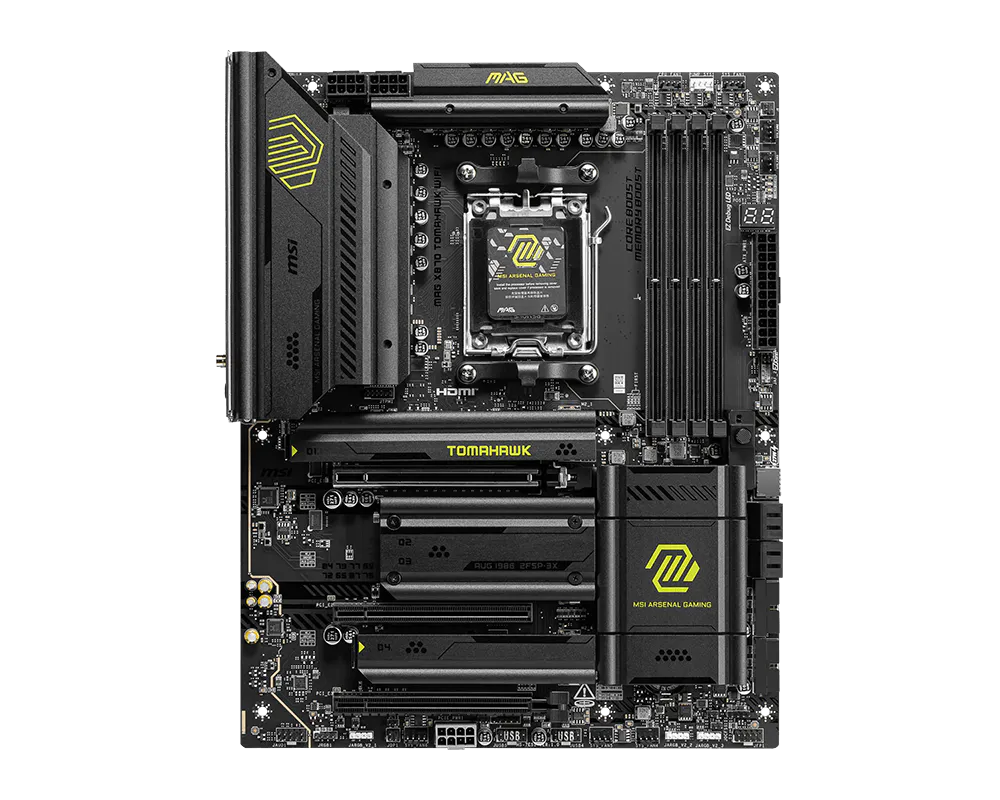
MAG X870 TOMAHAWK WIFI tập trung vào nền tảng Ryzen AM5 và nhóm kết nối hiện đại. Khả năng phối hợp nhiều ổ lưu trữ cùng thiết bị ngoại vi được làm rõ trong bảng thông số và sơ đồ khe của đúng bo.
Nền tảng AMD X870 và AM5
Model sử dụng chipset AMD X870, nền tảng AM5. Nền tảng AM5 sử dụng bộ nhớ DDR5, phù hợp xây dựng bộ máy Ryzen thuộc các dòng được liệt kê trong danh sách CPU của bo.
Danh sách CPU và phiên bản BIOS cần thiết được đối chiếu trên mục hỗ trợ của đúng model. Khi nâng cấp từ một CPU khác thế hệ, kiểm tra mốc BIOS trước khi thay giúp quá trình lắp đặt thuận lợi hơn.
Bo mạch chủ MSI MAG X870 TOMAHAWK WIFI – ảnh do MSI công bố.
DDR5 và khả năng bố trí bộ nhớ
MSI công bố cấu hình bộ nhớ: 4x DDR5 UDIMM, Maximum Memory Capacity 256GB. DDR5 là chuẩn bộ nhớ của phiên bản này; các thanh DDR4 không dùng thay được.
Dung lượng, số thanh và cấu hình bộ nhớ đều ảnh hưởng chế độ vận hành. Các mức có ghi OC hoặc profile XMP/EXPO thuộc điều kiện hãng nêu; danh sách tương thích RAM giúp chọn đúng bộ kit khi muốn dùng mức thiết lập đó.
4 khe M.2 và 4 cổng SATA
Thông tin lưu trữ của bo: 4x M.2 M.2_1 Source (From CPU) supports up to PCIe 5.0 x4 , supports 22110/2280 devices M.2_2 Source (From CPU) supports up to PCIe 5.0 x4 , supports 2280/2260 devices M.2_3 Source (From Chipset) supports up to PCIe 4.0 x2 , supports 2280/2260 devices M.2_4…. Các khe có thể nhận đường từ CPU hoặc chipset và hỗ trợ các chiều dài ổ khác nhau; bảng thông số giữ riêng các điều kiện đó để bố trí ổ phù hợp.
Khi lắp nhiều SSD hoặc thiết bị mở rộng, sơ đồ chia đường trong hướng dẫn sử dụng giúp chọn khe ưu tiên. M.2 là dạng đầu nối; chuẩn truyền dữ liệu và kích thước ổ vẫn phải khớp khả năng của từng khe.
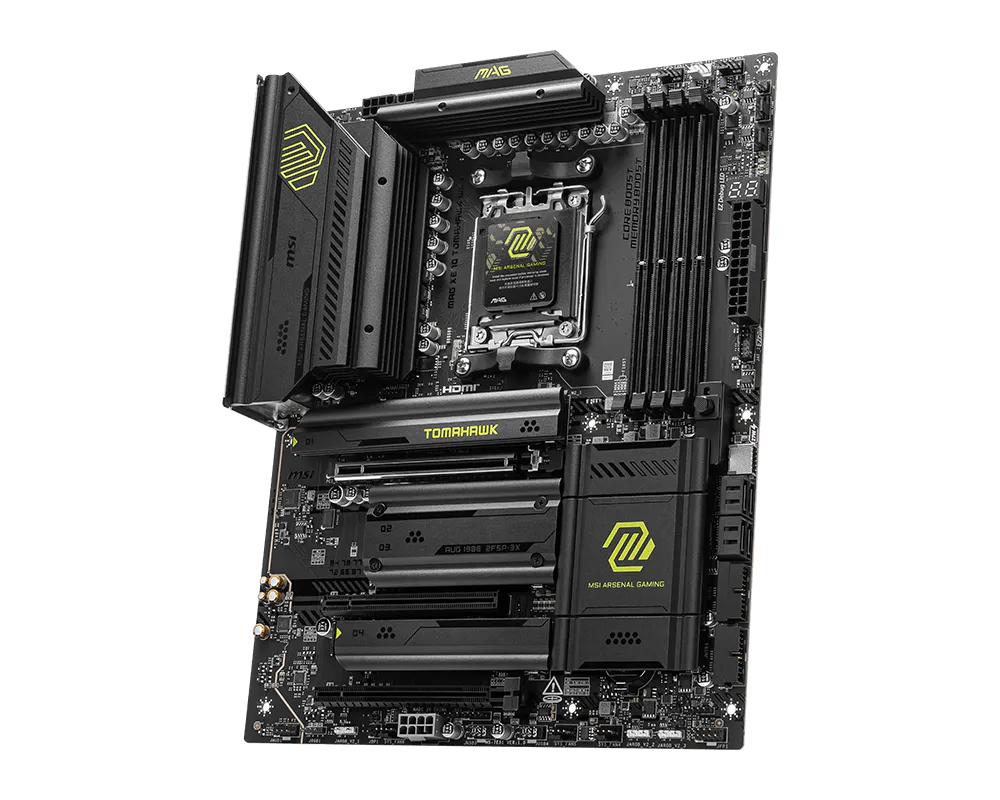
Bo mạch chủ MSI MAG X870 TOMAHAWK WIFI – ảnh do MSI công bố.
Kết nối mạng có dây và không dây
Mạng LAN được hãng ghi: Realtek ® 8126-CG 5G LAN. Kết nối không dây: Wi-Fi 7 The Wireless module is pre-installed in the M.2 (Key-E) slot Supports MU-MIMO TX/RX, 2.4GHz/ 5GHz/ 6GHz* (320MHz) up to 5.8Gbps Supports 802.11 a/ b/ g/ n/ ac/ ax/ be Supports Bluetooth ® 5.4**, MLO, 4KQAM * 6GHz band support may…. Anten đi kèm và vị trí đặt anten ảnh hưởng việc sử dụng Wi-Fi trong không gian thực tế.
Chuẩn Wi-Fi, Bluetooth và tốc độ cổng LAN là các khả năng khác nhau. Tốc độ truyền thực tế còn liên quan thiết bị mạng, hạ tầng và môi trường kết nối; không dùng tốc độ danh nghĩa của cổng để thay cho tốc độ Internet.
Bố cục lắp đặt và thiết bị ngoại vi
Thông số kích thước: ATX 304.8mmx243.84mm. Các hỗ trợ lắp đặt được giới thiệu gồm cơ cấu nhả card đồ họa giúp thao tác với khe PCIe thuận tiện hơn; cơ cấu giữ SSD M.2 hỗ trợ thao tác lắp đặt; đèn chẩn đoán hỗ trợ nhận biết nhóm linh kiện khi kiểm tra khởi động. Cổng USB và header được MSI phân biệt theo vị trí sau bo hoặc phía trước thùng máy, giúp dự tính cách đi dây và số thiết bị có thể kết nối.
Các cổng HDMI hoặc DisplayPort trên bo, nếu có, cần CPU có đồ họa tích hợp tương thích để xuất hình. Với CPU không có đồ họa tích hợp, màn hình được kết nối vào card đồ họa rời.
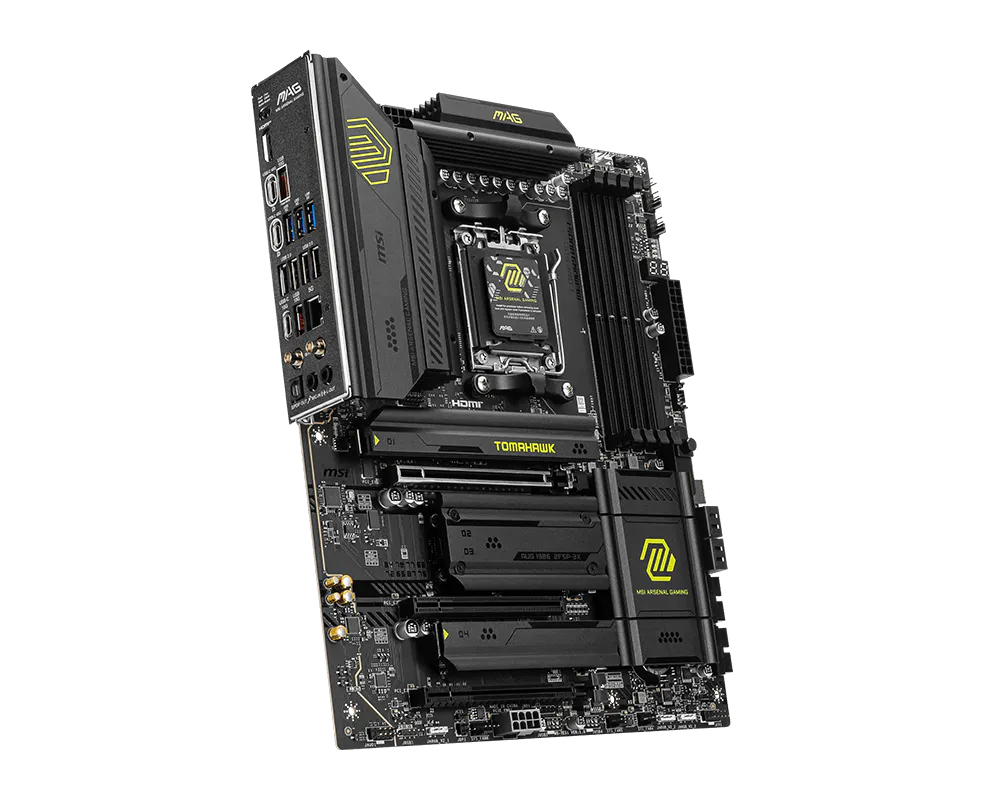
Bo mạch chủ MSI MAG X870 TOMAHAWK WIFI – ảnh do MSI công bố.
4x DDR5 UDIMM, Maximum Memory Capacity 256GB Memory Support DDR5 8400 - 5600 (OC) MT/s / 5600 - 4800 (JEDEC) MT/s Ryzen™ 9000 Series Processors max. overclocking frequency: • 1DPC 1R Max speed up to 8400+ MT/s • 1DPC 2R Max speed up to 6400+ MT/s • 2DPC 1R Max speed up to 6400+ MT/s • 2DPC 2R Max speed up to 6400+ MT/s Supports AMD POR Speed and JEDEC Speed Supports Memory Overclocking and AMD EXPO™ Supports Dual-Channel mode Supports Non-ECC, Un-buffered memory Supports CUDIMM, Clock Driver bypass mode only* * CUDIMM support and POR boot frequency may vary by CPU series, with manual overclocking available after boot. Certain CPUs may fail to boot, but future BIOS updates will improve compatibility. • The DIMM slots on this motherboard have double-sided latches. • Memory compatibility and supported speeds can vary depending on the CPU and memory configuration. For detailed information, please refer to the Memory Compatibility List available on the product’s Support page or visit https://www.msi.com/support/.
Xuất hình tích hợp
1x HDMI™ Support HDMI™ 2.1 FRL, maximum resolution of 8K 60Hz* 2x Type-C DisplayPort USB4 ® port, supporting DisplayPort 1.4 with HBR3 over USB Type-C, maximum resolution of 4K 60Hz* *Available only on processors featuring integrated graphics. Graphics specifications may vary depending on the CPU installed.
Khe mở rộng
3x PCI-E x16 slot PCI_E1 Gen PCIe 5.0 supports up to x16 (From CPU) PCI_E2 Gen PCIe 3.0 supports up to x1 (From Chipset) PCI_E3 Gen PCIe 4.0 supports up to x4 (From Chipset) PCI_E1 slot • Supports PCIe 5.0 x16 (For Ryzen™ 9000/ 7000 Series processors) • Supports PCIe 4.0 x8 (For Ryzen™ 8700/ 8600/ 8400 Series processors) • Supports PCIe 4.0 x4 (For Ryzen™ 8500/ 8300 Series processor) *PCI_E3 slot will run at x2 speed when installing device in the M2_3 slot. You can switch PCI_E3 slot to x4 in the BIOS, but this will disable the M2_3 slot
Âm thanh
Realtek ® ALC4080 Codec 7.1-Channel USB High Performance Audio Supports up to 32-bit/384kHz playback on front panel Supports S/PDIF output
Lưu trữ
4x M.2 M.2_1 Source (From CPU) supports up to PCIe 5.0 x4 , supports 22110/2280 devices M.2_2 Source (From CPU) supports up to PCIe 5.0 x4 , supports 2280/2260 devices M.2_3 Source (From Chipset) supports up to PCIe 4.0 x2 , supports 2280/2260 devices M.2_4 Source (From Chipset) supports up to PCIe 4.0 x4 , supports 2280/2260 devices 4x SATA 6G M2_1 & M2_2 slots • Supports up to PCIe 5.0 x4 (For Ryzen™ 9000/ 7000 Series processors) • Supports up to PCIe 4.0 x4 (For Ryzen™ 8000 Series processors) * The M2_2 slot will be unavailable when using Ryzen™ 8500/ 8300 Series processors. ** USB 40Gbps Type-C ports on the back panel and M2_2 slot share PCIe 5.0 x4 bandwidth. Both run at PCIe 5.0 x2 when a device is installed in the M2_2 slot. You can switch M2_2 to PCIe 5.0 x4 in the BIOS, but this will disable the USB 40Gbps Type-C ports. The USB4 host controller supports up to PCIe 4.0 x4. *** PCI_E3 slot will run at x2 speed when installing device in the M2_3 slot. You can switch PCI_E3 slot to x4 in the BIOS, but this will disable the M2_3 slot. **** Please refer to the manual for M.2 SSD heatsink restrictions
Multi-GPU
AMD MULTI-GPU Support
RAID
•Supports RAID 0, RAID 1, RAID 5 and RAID 10 for M.2 NVMe storage devices *RAID 5 configuration is only supported by Ryzen™ 9000 series processors. *RAID 10 for M.2 NVMe storage devices is only supported by Ryzen™ 9000/7000 series processors.
USB và vị trí cổng
4x USB 2.0 (Rear) 4x USB 2.0 (Front) 3x USB 5Gbps Type A (Rear) 4x USB 5Gbps Type A (Front) 2x USB 10Gbps Type A (Rear) 1x USB 10Gbps Type C (Rear) 1x USB 20Gbps Type C (Front) 2x USB 40Gbps Type C (Rear)
Mạng có dây
Realtek ® 8126-CG 5G LAN
Kết nối bên trong
1x Power Connector(ATX_PWR) 2x Power Connector(CPU_PWR) 1x Power Connector(PCIE_PWR 8pin) 1x CPU Fan 1x Combo Fan (Pump_Sys Fan) 6x System Fan 1x EZ Conn-header (JAF_2) 2x Front Panel (JFP) 1x Chassis Intrusion (JCI) 1x Front Audio (JAUD) 3x Addressable V2 RGB LED connector (JARGB_V2) 1x RGB LED connector(JRGB) 1x TPM pin header(Support TPM 2.0) 4x USB 2.0 ports 4x USB 5Gbps Type A ports 1x USB 20Gbps Type C ports
Wi-Fi và Bluetooth
Wi-Fi 7 The Wireless module is pre-installed in the M.2 (Key-E) slot Supports MU-MIMO TX/RX, 2.4GHz/ 5GHz/ 6GHz* (320MHz) up to 5.8Gbps Supports 802.11 a/ b/ g/ n/ ac/ ax/ be Supports Bluetooth ® 5.4**, MLO, 4KQAM * 6GHz band support may depend on every country’s regulations and Wi-Fi 7 will be ready in Windows 11 version 24H2. ** The Bluetooth version may be updated, please refer to the Wi-Fi chipset vendor’s website for details. Bluetooth 5.4 will be ready in Windows 11 version 24H2.
LED và chẩn đoán
4x EZ Debug LED 1x EZ Digit Debug LED
Cổng sau bo
Clear CMOS Button USB 10Gbps Type-A USB 5Gbps Type-A USB 2.0 5G LAN Wi-Fi / Bluetooth Audio connectors Flash BIOS Button HDMI™ USB 40Gbps Type-C USB 10Gbps Type-C USB 10Gbps Type-A